Background gradient

HUMAN INSIGHTS AI

20+ vital signs from a 30-second face scan

20+ vital signs from a 30-second face scan

20+ vital signs from a 30-second face scan

20+ vital signs from a 30-second face scan

Uses any modern camera. No wearables, no hardware. Fully hosted and live in minutes.

Uses any modern camera. No wearables, no hardware. Fully hosted and live in minutes.

Uses any modern camera. No wearables, no hardware. Fully hosted and live in minutes.

Built for healthcare, pharma, insurance, and workplace wellness.

Built for healthcare, pharma, insurance, and workplace wellness.

On-device privacy

Turn-key platform

API & SDK

Touch Compatible

100+

100+

Peer-reviewed studies

rPPG evidence base since 2018

rPPG evidence base since 2018

5

5

Continents validated

All skin tones, Fitzpatrick I to VI

All skin tones, Fitzpatrick I to VI

±1 to 3

±1 to 3

bpm

Heart rate accuracy

Benchmarked against hospital ECG

Benchmarked against hospital ECG

FDA General Wellness

HIPAA & GDPR Compliant

SOC2/ISO27001*

VITALS AI

SOLUTIONS

Built for how you work

A 30-second scan, deployed where it matters. From virtual consults, to on-site health checks.

PRODUCTS

Turn-key solutions to get you started fast

Vitals AI delivers world class dual stream rPPG and rBCG data developed alongside advanced AI models to drive detailed health and wellness markers from a 30 second scan.

VITALS AI

Bring vital checks to all digital touchpoints

20+ health markers in 30 seconds

Measure blood pressure wellness trends, heart rate, HRV, and more in 30 seconds with a simple face scan.

Seamless turn-key integration

Deploy Vitals AI effortlessly across workflows and business processes - minimal setup & real-world ready.

man conducting vitals ai scan
health markers

EMPATHIC AI

Every connection emotionally informed

Multimodal emotional intelligence

Analyze facial, vocal, and language signals in real time to reveal nuanced emotions across digital touch points. Built with the University of Florida.

Empathic AI designed for your workflows

Seamlessly integrate empathy-driven AI into healthcare, customer service, sales and conversational platforms for deeper trust and engagement

woman working at laptop
live call emotional analysis

APPLICATIONS

Human understanding in every engagement

From video calls to chat, onboarding to retention - Upvio powers empathy and health insights across workflows. Seamlessly embed into your business processes and customer touch points for intelligent, more human-centered experiences.

New Client Icon

Onboarding

Assess new clients or employees with physiology-based and emotion-aware insights.

Questionnaire Icon

Questionnaire

Capture emotional and physiological responses alongside survey answers for deeper, more reliable insights.

Video Call Icons

Video calls

Enhance live video interactions with real-time emotional and physiological insights.

Microphone Icon

Voice

Detect emotions, tone, and wellbeing signals in real-time conversations across calls and virtual meetings.

Engagement and Retention Chart

Engagement & Retention

Track stress, mood, and health signals to improve user experience, and long-term loyalty.

Image of Messages

Chat & Messenger

Infuse empathy into text-based communication by recognizing emotional cues and stress patterns.

Video Recording Icon

Video recording

Analyze recorded sessions for stress, mood, and health markers for engagement, training, and more.

Voice Recording Icon

Voice recording

Transform call recordings into actionable insights by decoding stress, sentiment, and emotions.

TURN-KEY SOLUTION

Delivered as a fully hosted turnkey solution

No IT overhead, no cloud setup, no separate monitoring. Infrastructure is built in, with end-to-end hosting, encryption, and data governance.

Boy on laptop
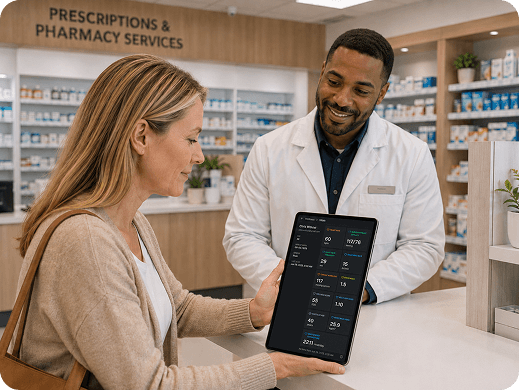
Woman on telehealth call
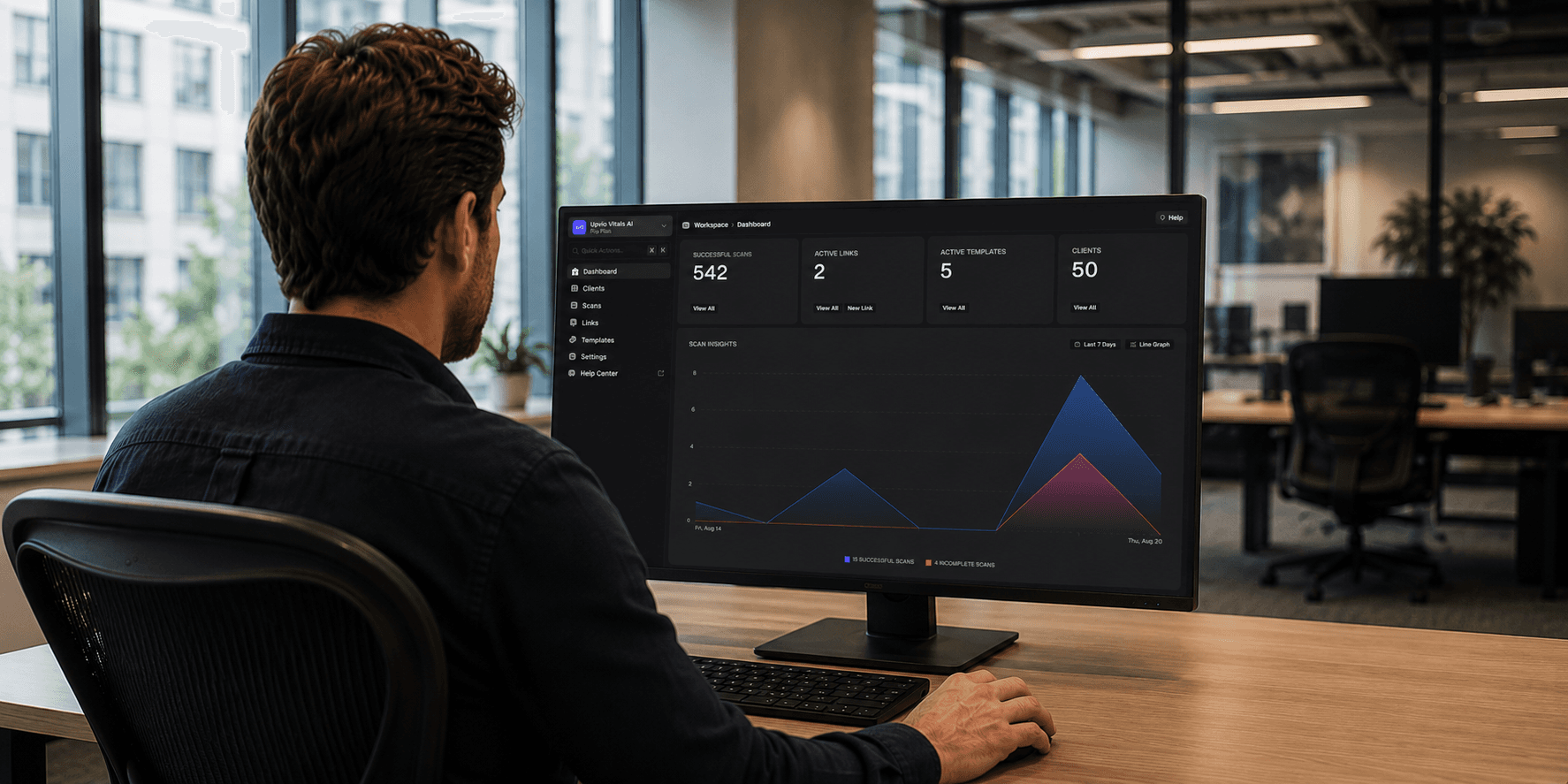
Man using computer
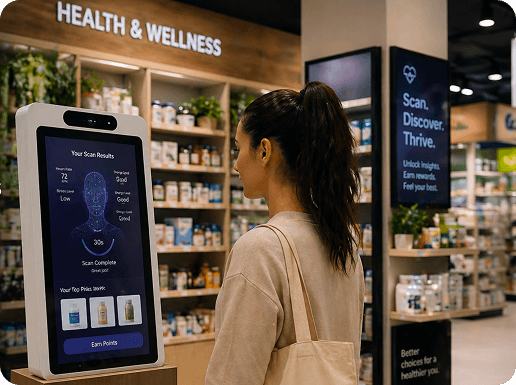
Woman doing biometric scan
Vitals AI Scan interface
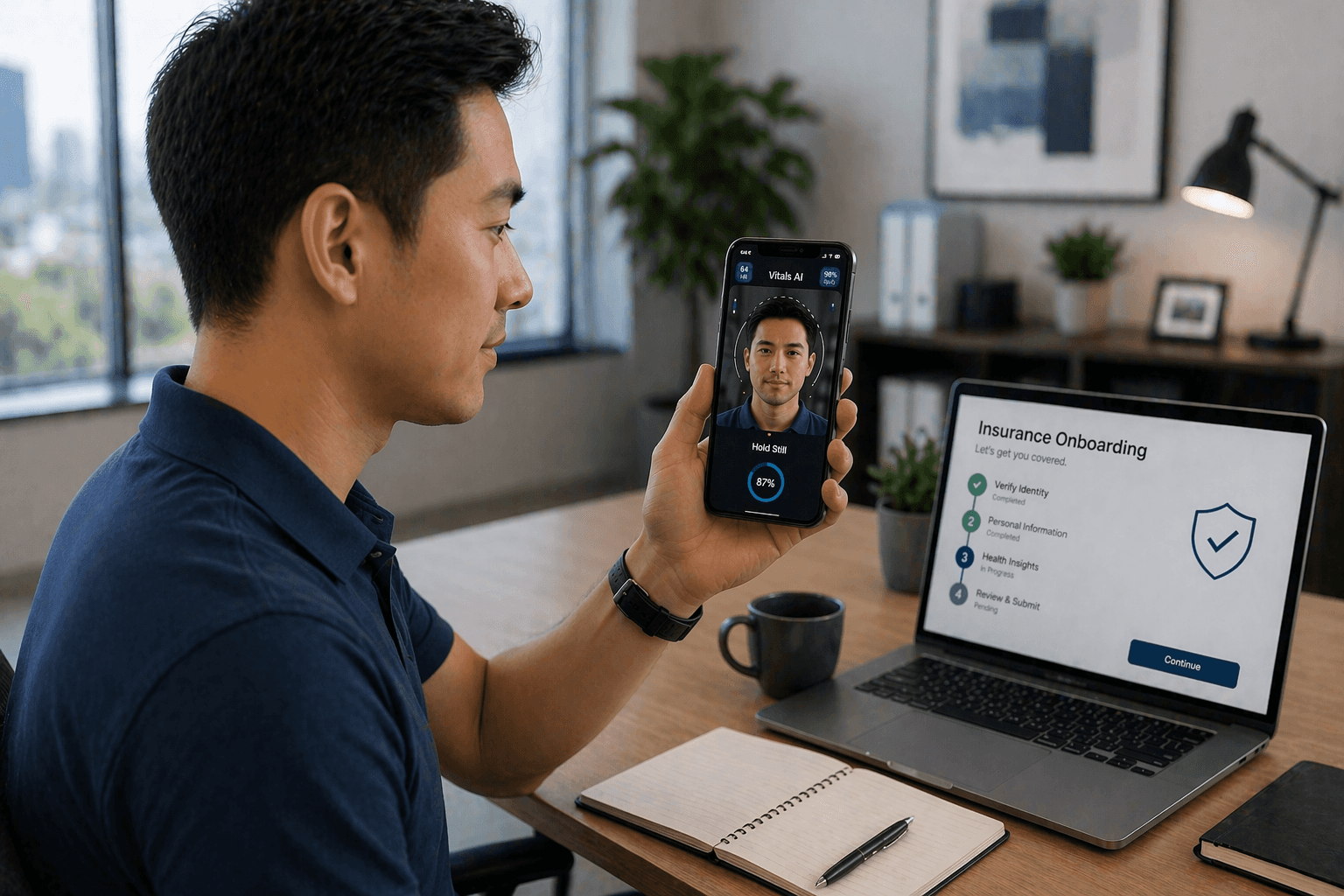
Man doing biometric scan
Woman on phone
woman typing on computer
group telehealth call
business meeting through glass

INTEGRATIONS

Effortless integrations with end-to-end support

Effortless deployment

Vitals AI comes ready to deploy, with hosting, security, and compliance handled end to end. Vitals AI removes the friction of setup and management.

Seamless integration

Our platform embeds seamlessly into your processes, platforms, or apps, powering health and wellness insights with minimal setup. Integration made simple.

Built-in security & scalability

With governance, privacy, and security at the core, Vitals AI scales seamlessly across industries and use cases.

SECURITY & DATA

Enterprise-ready governance and protection

SOC2 logo with ISO 27001

SOC 2*

GDPR logo

GDPR

HIPAA Compliant logo

HIPAA

Built for global compliance

HIPAA, GDPR, and healthcare standards are embedded into every layer of the platform. *SOC2/ISO in progress.

Security without slowing innovation

Data stays encrypted from camera to cloud so protection never slows innovation.

Video call with David Park showing recoring settings

Your data, your control

Maintain full ownership and transparency with built-in governance and ethical safeguards.

list of integrations

Deploy anywhere, integrate everywhere

Choose the environment that fits your needs and governance, with smooth integration across systems.

HUMAN INSIGHTS AI

Measure what matters. Anywhere.

Koko Bay Logo
An astronaut completing an rPPG scan with Vitals AI

FAQ

Can I manage multiple sites, locations, or teams from one account?

Upvio’s multi-tenant platform makes it simple to manage multiple sites, departments, or clients under a single account. You can customize branding, workflows, and reporting for each location while keeping centralized visibility and control. It’s a seamless way to scale operations, maintain oversight, and ensure consistency across your organization.

How can I roll out Upvio enterprise-wide?

Upvio’s multi-tenant platform lets you expand your deployment at your own pace, without heavy infrastructure costs. Through centralized administration and an open API, you can easily provision new users, teams, or locations while maintaining consistent branding, permissions, and reporting across your entire organization.

Can admins set scan limits for users or businesses?

Admins can set default scan or usage limits for individual users, groups, or entire businesses to help manage cost and control consumption. These limits can be updated anytime, and unused credits roll over automatically. This ensures predictable usage, flexible resource allocation, and easy budgeting across teams or programs.

Do unused credits roll over month to month?

Any unused credits automatically roll over to the next month, allowing you to manage pilots, seasonal programs, or phased rollouts at your own pace. This flexibility ensures you get full value for every credit you purchase - no expiration, no loss, just continued access when you need it.

Do unused credits expire?

You can use your available scans anytime while your subscription is active. There’s no expiration pressure - just flexibility to run scans when it fits yours workflow, making it easier to manage ongoing projects or seasonal initiatives.

Are there hidden fees?

Upvio’s pricing is fully transparent. You pay a simple monthly platform fee plus per-scan credits, with no API surcharges, hidden costs, or long-term commitments. This straightforward model helps you scale confidently, control costs, and know exactly what you’re paying for.

What if my usage varies month to month?

Upvio is built for flexibility. There are no penalties or minimum usage requirements, and credits roll over automatically. If your usage fluctuates, you can top up anytime with discounted scan bundles, ensuring you only pay for what your organization actually needs when you need it

Is support included?

All plans include access to our Customer Success Team, who provide hands-on, personalized support. Pro and Enterprise plans go even further, offering dedicated engineering and solution architect assistance for complex integrations or technical deployments. We work closely with our clients to ensure success at every stage.

Can I brand and customize the user experience?

Upvio allows full white-label customization so you can use your logo, colors, and messaging to create a fully branded experience. You can also configure intake questions, workflows, and how results are presented. This keeps your brand front and center, reinforces trust, and ensures a seamless, personalized experience for every user.

How can Upvio support community events or screenings?

Upvio's Vitals AI and Empathic AI run instantly on any device with a camera, no setup or extra equipment needed, making it ideal for community health events, mobile clinics, and screenings. It enables quick vitals capture and participant engagement, and supports research recruitment, monitoring, and retention while reducing logistics and cost.

How can Upvio be used for marketing?

Upvio can act like an intelligent landing page for health or wellness campaigns. It can be embedded into community events, wellness fairs, recruitment drives, or digital marketing initiatives to instantly capture vitals while collecting contact details. The platform connects seamlessly to your forms or CRM, turning participation into qualified leads. Built-in analytics let you track engagement, measure campaign success, and optimize outreach, giving you a powerful way to combine health insights, lead generation, and audience engagement in one step.

How does Upvio fit into existing workflows?

Upvio’s Vitals AI and Empathic AI can be embedded into intake forms, telehealth consultations, registrations, triage, or wellness programs to capture vitals at key touchpoints automatically and effortlessly. It enhances engagement, improves efficiency, and adds valuable insights without changing your existing workflow.

How does Upvio align with business models and revenue growth?

Upvio adds measurable value and creates new revenue streams. Vitals AI and Empathic AI can be integrated into care programs, memberships, wellness programs, telehealth sessions, remote monitoring, and research studies, helping you generate new revenue while improving engagement. It turns AI-powered insights into a strategic business advantage, supporting both growth and quality of care.

How quickly can I start using Upvio?

Upvio’s AI-powered human insights tools work out of the box on any device with a camera and browser. There’s no hardware, installation, or IT configuration needed. Upvio handles hosting, security, and updates, so your team can start using it immediately and see results right away.

How do we get ready to start using Upvio’s AI human insights tools?

Vitals AI and Empathic AI is turnkey and ready to use out of the box. All you need is a device with a camera and browser. Once you sign in, you can immediately start running scans, exploring features, and testing how it fits into your digital workflows. Most organizations are up and running the same day - no hardware, installation, or IT configuration required.

Do I need to ship devices or manage equipment?

Vitals AI and Empathic AI work instantly on any modern device with a camera and internet connection. There’s no need to ship, install, or maintain equipment, which means lower costs, no logistics, and zero operational hassle. Just log in and start scanning.

What do we need to have in place before launching Upvio?

While no technical setup is required, we recommend preparing a few key elements:

Identify your first use cases (intake, events, member programs, research, etc.)

Set up your branding preferences for a consistent look and feel

Assign admin or superuser roles for team oversight

Map how Vitals AI connects with your forms, portals, or telehealth workflows

These steps make it easy to integrate Upvio into your organization from day one.

What rollout or integration options are available with Upvio’s AI human insights tools?

You can use Vitals AI and Empathic AI in three ways:

1. With the full Upvio platform - including analytics, telehealth, scheduling, and client records.

2. As a standalone solution - fast to deploy with minimal setup.

3. Via API integration - connecting seamlessly with your existing systems.

Each option is designed for simplicity, scalability, and easy adoption so you can choose what fits your workflow best.

What makes Upvio different from point solutions that require complex setup or change management?

Unlike traditional point solutions that need complex setup or custom integration, Upvio comes with a built-in dashboard, client records, scan history, and analytics tools. You can roll out new programs immediately - no heavy IT lift, no retraining, and no disruption to existing systems. It’s a plug-and-play solution that delivers immediate value.

How does Vitals AI fit into a standard telehealth workflow?

Vitals AI can be used pre‑consult (triage and baselines), in‑consult (live vitals support), or post‑consult (monitoring and follow‑up), all orchestrated through your existing scheduling, waiting room, and documentation flows in the platform.

Vitals AI integrates seamlessly into telehealth and virtual care workflows, supporting use across:

Pre-consult: Baseline vitals and triage during intake

In-consult: Real-time vitals and stress indicators during video sessions

Post-consult: Ongoing monitoring and follow-up

All of this is orchestrated through your existing scheduling, virtual waiting room, documentation, and messaging flows, allowing clinicians to capture objective data without adding steps or friction.

How does Vitals AI integrate with existing video consultations?

Vitals AI runs on top of your existing video consult workflow, using the same virtual waiting room and sharing meeting links, so clinicians can capture vitals and stress indicators during or around a session without changing how they book or join calls.

Do patients need to install any extra apps to use Vitals AI?

Patients access Vitals AI through the same browser‑based video and client portal experience, using everyday devices with a camera, microphone and internet connection, which keeps onboarding simple and reduces support load. No app downloads, device pairing, or special software is required.

Can intake and consent forms be combined with Vitals AI scans?

Digital intake, consent and triage forms can be configured to trigger or accompany a Vitals AI scan. This allows you to collect clinical history, consent and objective measurements in a single, streamlined pre‑visit workflow - improving efficiency and data completeness.

How are form responses and Vitals AI results stored together?

Form responses and Vitals AI outputs are stored in a unified patient record in the platform. Clinicians can see self‑reported symptoms, vitals trends, and notes side by side and export or sync them to downstream systems as needed.

How do patients access their Vitals AI results through the client portal?

Patients can log into the secure client portal to view selected Vitals AI summaries, educational explanations, and any follow‑up instructions their clinician has shared, all in the same place they book appointments and complete forms.

Can we use secure messaging to follow up on abnormal Vitals AI readings?

When a Vitals AI scan flags a value outside configured thresholds, clinicians can use secure in‑platform messaging to request follow‑up, adjust care plans, or schedule another video consult without resorting to email or SMS. This keeps all communication compliant, auditable, and centralized.

How can we use the video, forms, messaging and client portal features  and Vitals AI together as an enterprise‑grade, integrated solution?

Upvio is designed as a unified platform where video consults, digital forms, client portal, and secure messaging all act as the delivery layer for Vitals AI, allowing you to embed video‑based vital sign and stress measurements into every stage of the client journey while maintaining security and governance at scale. Vitals AI can be invoked via workflow rules (pre‑visit intake forms, waiting room prompts or in‑session actions), and its outputs can be stored alongside clinical notes and messages, enabling integration with existing EHR, CRM, and data record systems through APIs for enterprise reporting, analytics and automation.